Run all your branches from one screen
StoreOps is the sales counter, stock room, time clock and payroll for shops with more than one branch, made for how shops in the Philippines work.
- Cash, GCash and bank transfer
- Keeps selling when the internet drops
- We help you set it up
Pesos and GCash
Cash, GCash and bank transfer with reference numbers. No card terminal needed.
Philippine payroll
SSS, PhilHealth, Pag-IBIG, holiday pay and 13th month, worked out each cutoff.
The devices you have
Runs in the browser on your computers, tablets and phones. Nothing to install.
English and Filipino
A full user guide in both languages, for every role in the shop.
Everything a branch runs on
The counter, the cash, the stock room and the staff, in one system that every store shares.
A sales screen your cashiers learn in one shift
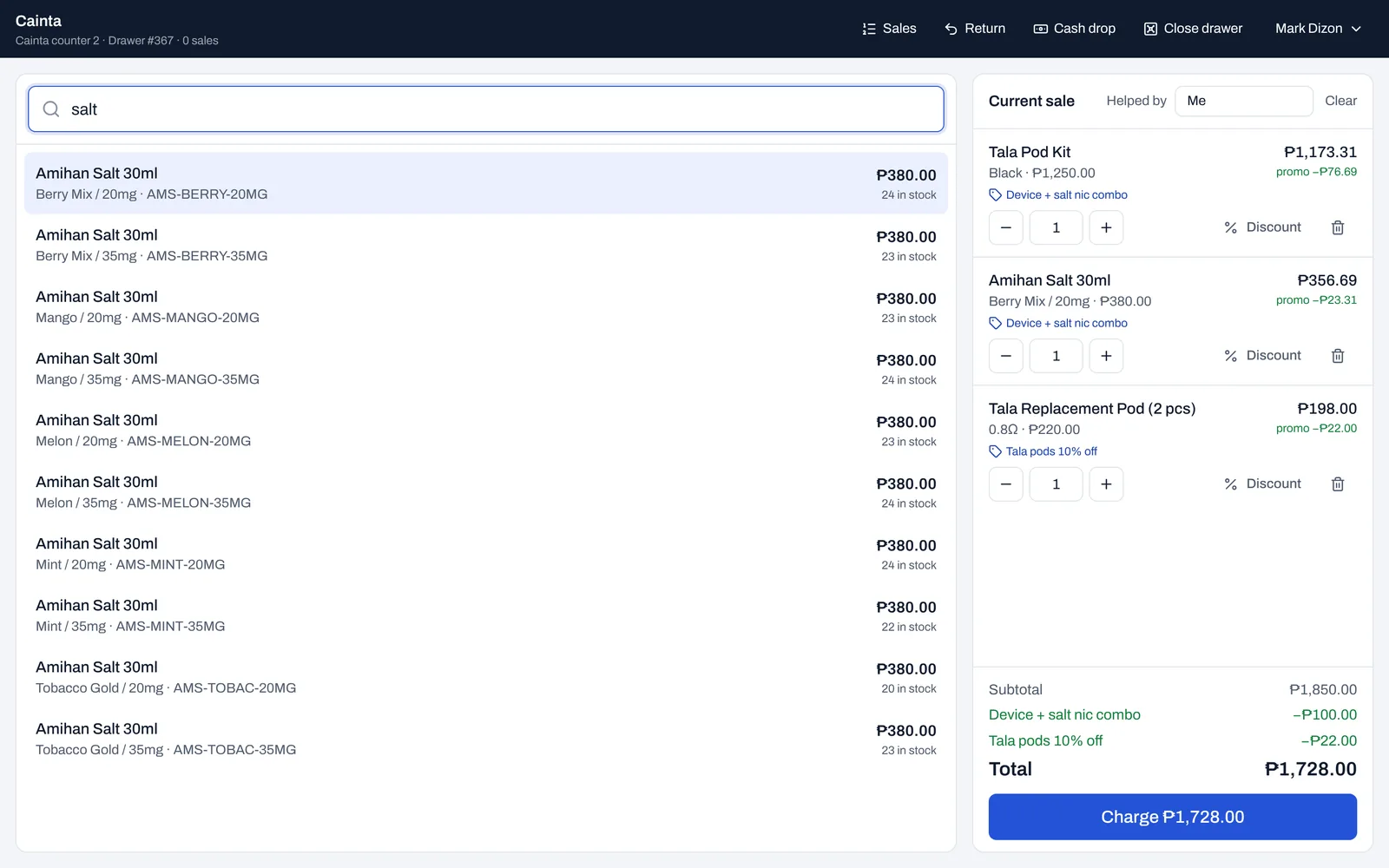
Fast at a busy counter, careful with the money. Built for the barcode scanner you already have.
- Scan a barcode, or type “mango 3mg” to find any flavor and strength
- Promos and combos apply by themselves, no codes to remember
- Split one sale across cash, GCash and bank transfer
- Keeps selling when the internet drops, and catches up after
Every drawer counted, every peso traced
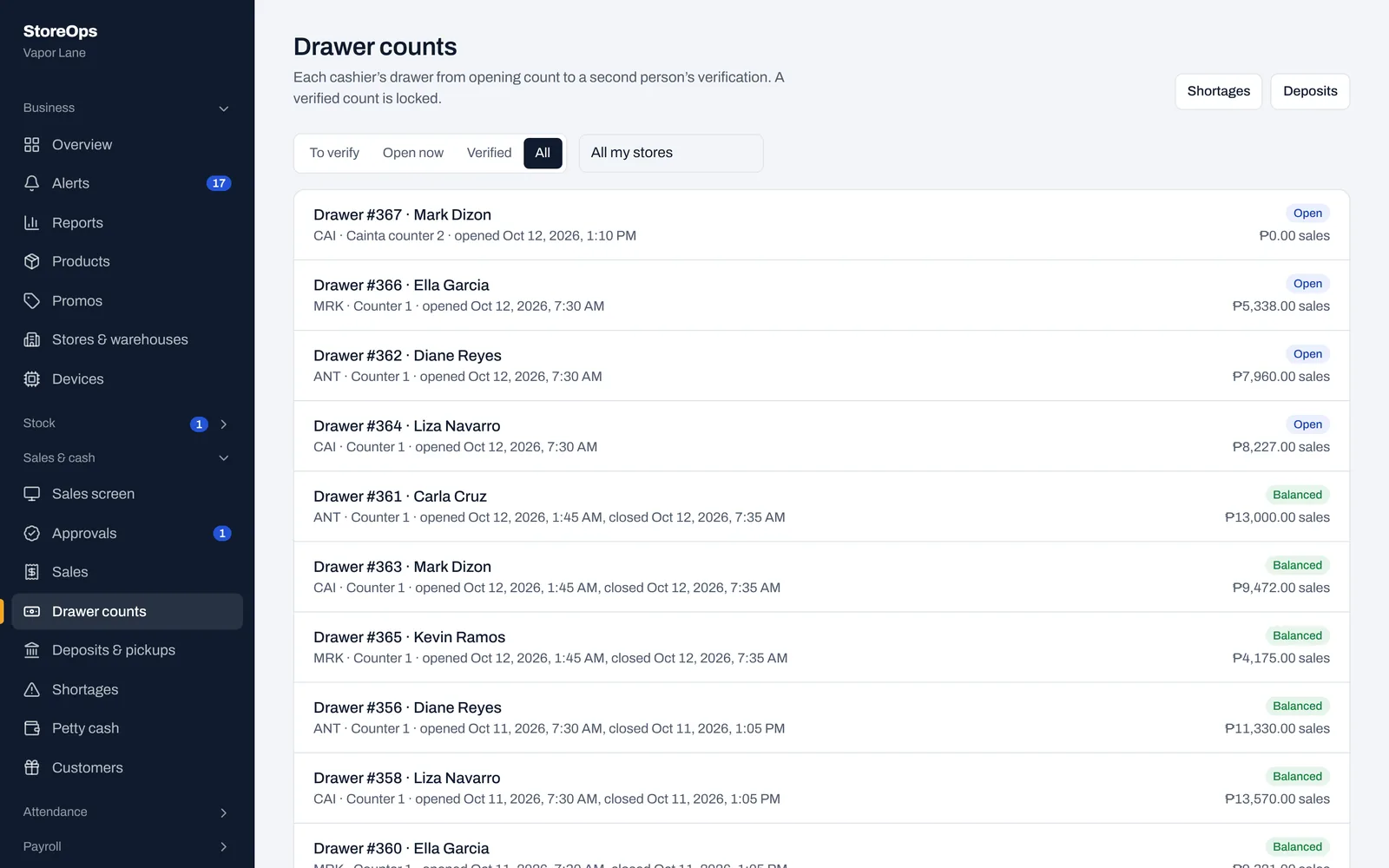
Cash goes from the drawer to a numbered bag to the bank, and you can follow every step.
- Cashiers count their drawer without seeing what it should be
- A manager recounts and verifies every drawer
- A short drawer is explained by the cashier before anything is deducted
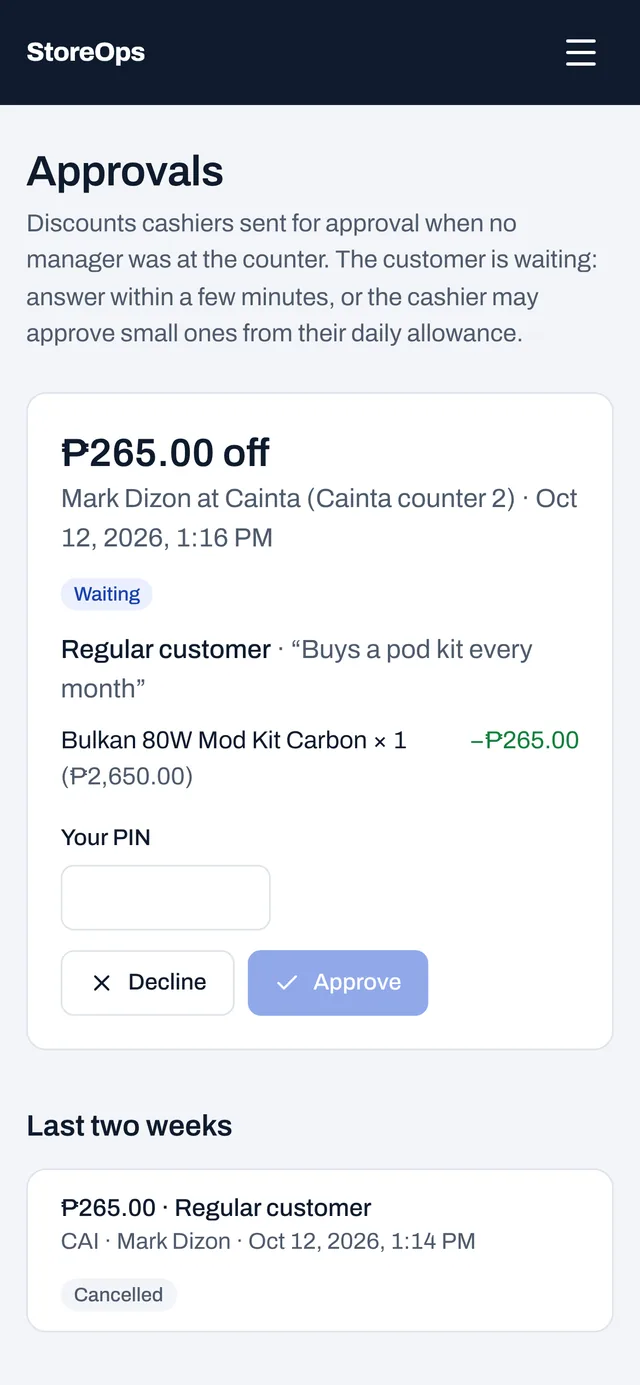
- Discounts need a reason, stay within limits and need an approval
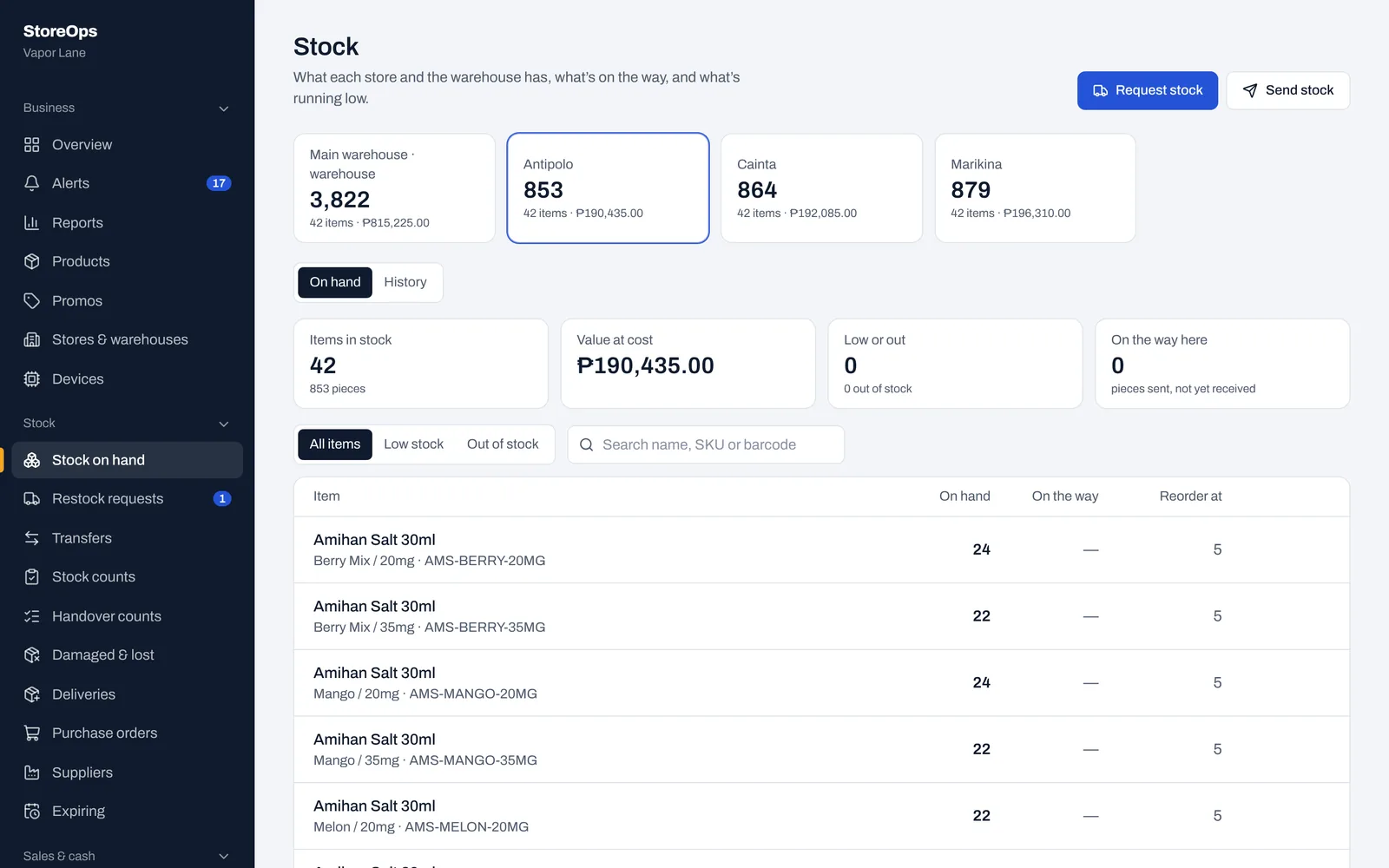
Stock that matches what’s on the shelf
See every store and the warehouse at once, and know who had the stock when something goes missing.
- Restock requests from stores, packed and sent by the warehouse
- Stock counted at every change of shift, confirmed by both cashiers
- Purchase orders and deliveries from your suppliers
- Expiry dates, so the oldest stock sells first
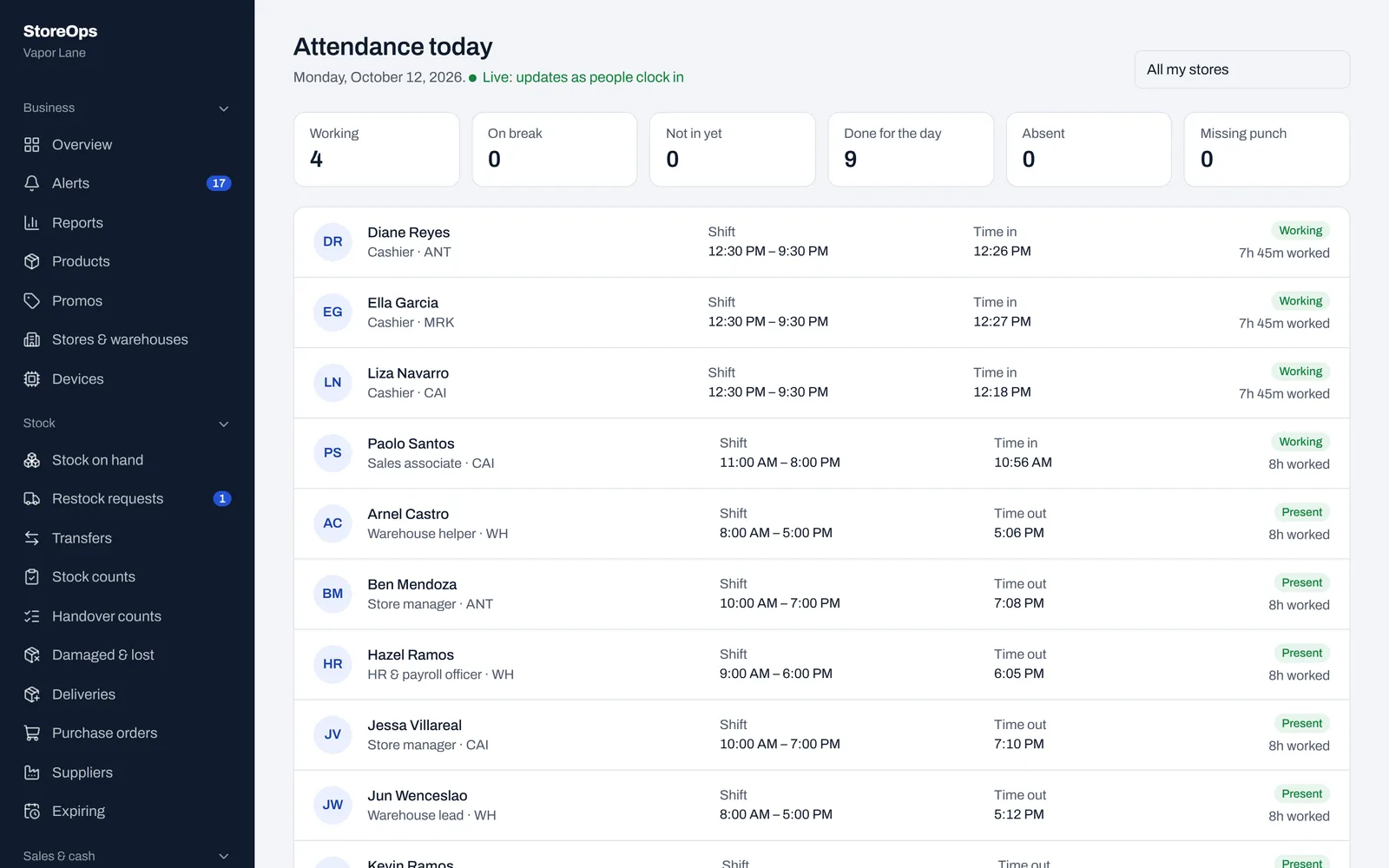
Attendance and payroll without the spreadsheet
Staff clock in at the store tablet. Lateness, overtime and pay are worked out from there.
- Clock-in with a QR ID card and a photo check, so nobody clocks in for a friend
- Schedules, lateness, undertime, leave and requests
- Payroll with SSS, PhilHealth, Pag-IBIG, holidays and 13th month pay
- Each employee sees their own attendance, leave and payslips
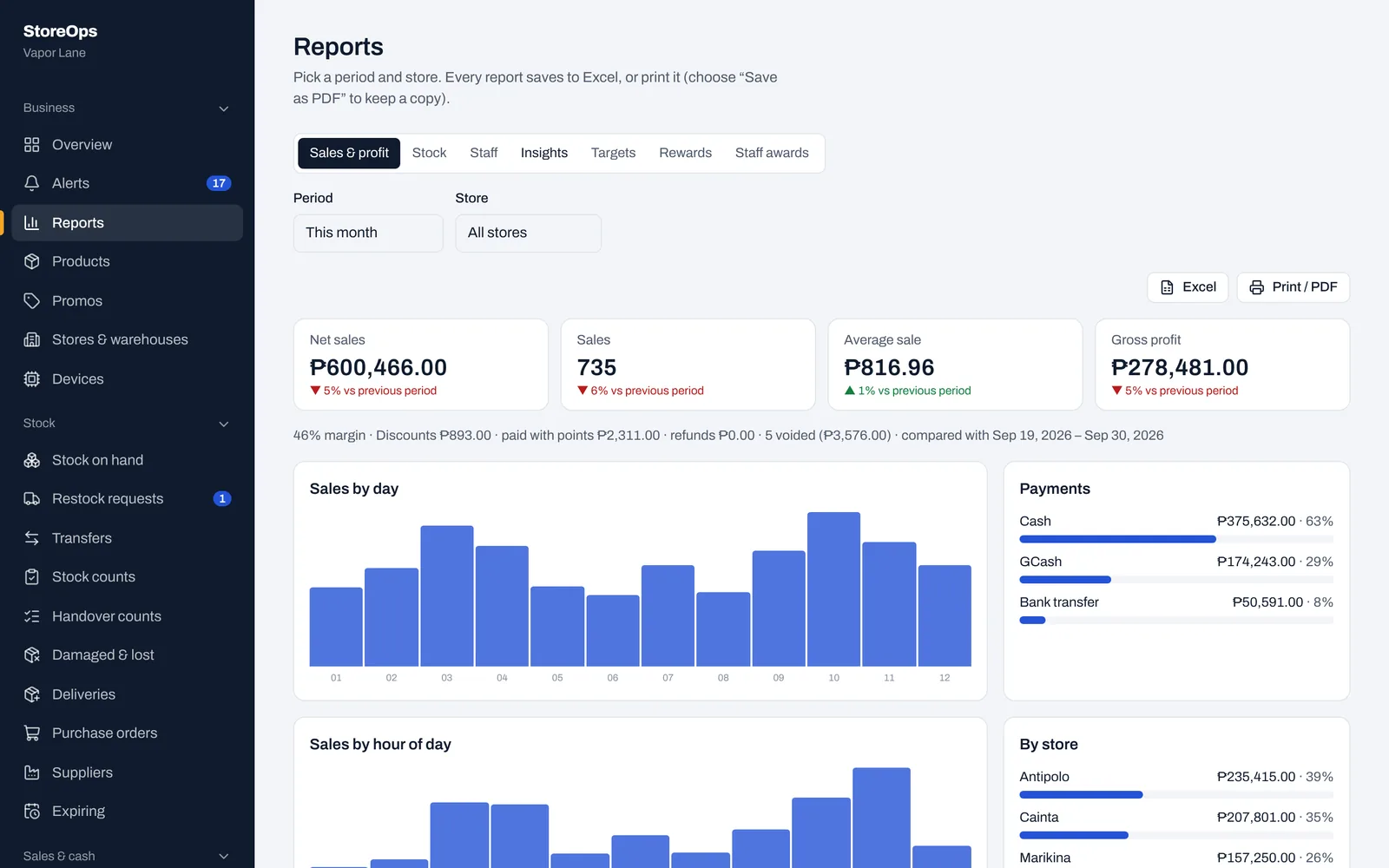
Know how every branch did, wherever you are
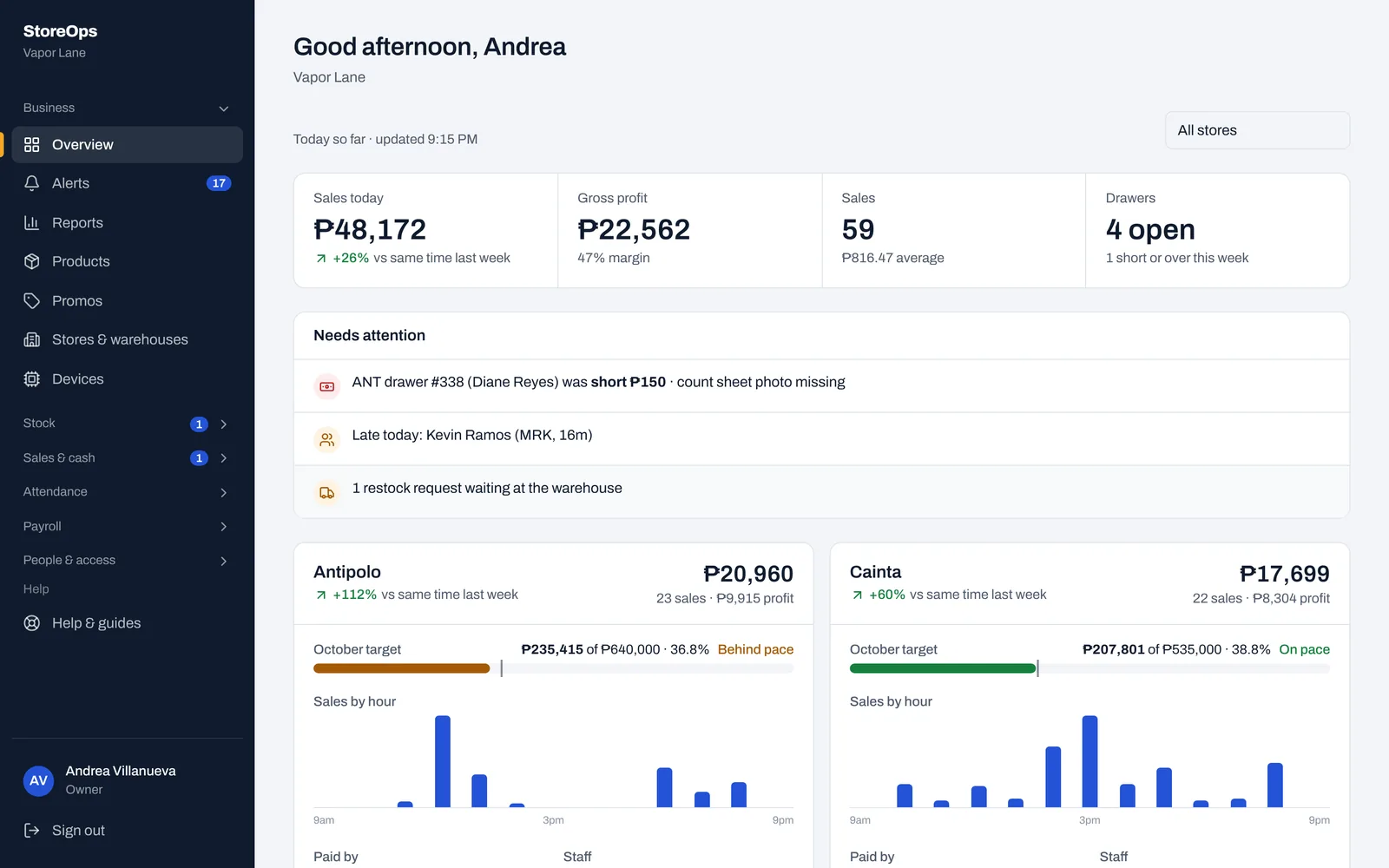
The numbers you used to wait for at the end of the month, every night instead.
- Sales and profit by branch, staff member and product
- A summary email every night and an alert the moment something’s off
- Approve discounts from your phone when you’re not in the store
- An audit log of every change, which nobody can edit
Getting started
We set StoreOps up with you, so your stores keep running while you switch.
-
1
Tell us about your shops
How many branches you have, what you sell, and how you pay your staff.
-
2
We set it up together
Your stores, products, prices and staff go in, and we help you set up each counter and clock-in tablet.
-
3
Your team starts selling
Cashiers learn the sales screen in a shift, and you can follow every branch from the first day.
Also included
Customer rewards
Points, tiers and birthday points for members, by mobile number.
More than one counter
Each counter has its own cashier, drawer and count.
Petty cash
Store expenses with receipt photos, kept apart from sales.
Labels and barcodes
Print price and barcode labels for your shelves.
Roles and permissions
Owners, managers, cashiers, warehouse and HR each see their part.
Your data, always
Download everything as spreadsheets whenever you like.
Pricing
Questions shop owners ask
Does StoreOps issue official BIR receipts?
No. It prints a sales slip marked “not an official receipt”, so keep using your BIR-registered receipts or invoices alongside it.
What happens when the internet goes down?
The sales screen keeps selling and saves each sale on the device, then sends them when the connection is back. Opening a drawer needs the internet.
What do I need to buy?
Nothing special. A computer or tablet with Chrome at each counter, a USB or Bluetooth barcode scanner, and a tablet for clock-ins. A thermal receipt printer is optional.
Can I use it on my phone?
Yes. Everything works in a phone browser, including reports and approving discounts.
How do you keep my data safe?
Every person signs in with their own account and a second step, sensitive actions need someone else’s PIN, and every change is recorded. The owner can download all the data at any time.
Do my staff need training?
Cashiers usually learn the sales screen in one shift. There is a full user guide in English and Filipino, and we help you get set up.
See StoreOps with your own branches
Tell us how many stores you run and what you sell. We’ll walk you through it and help you set it up.
- Message us on Facebook
- Hours
- Based in